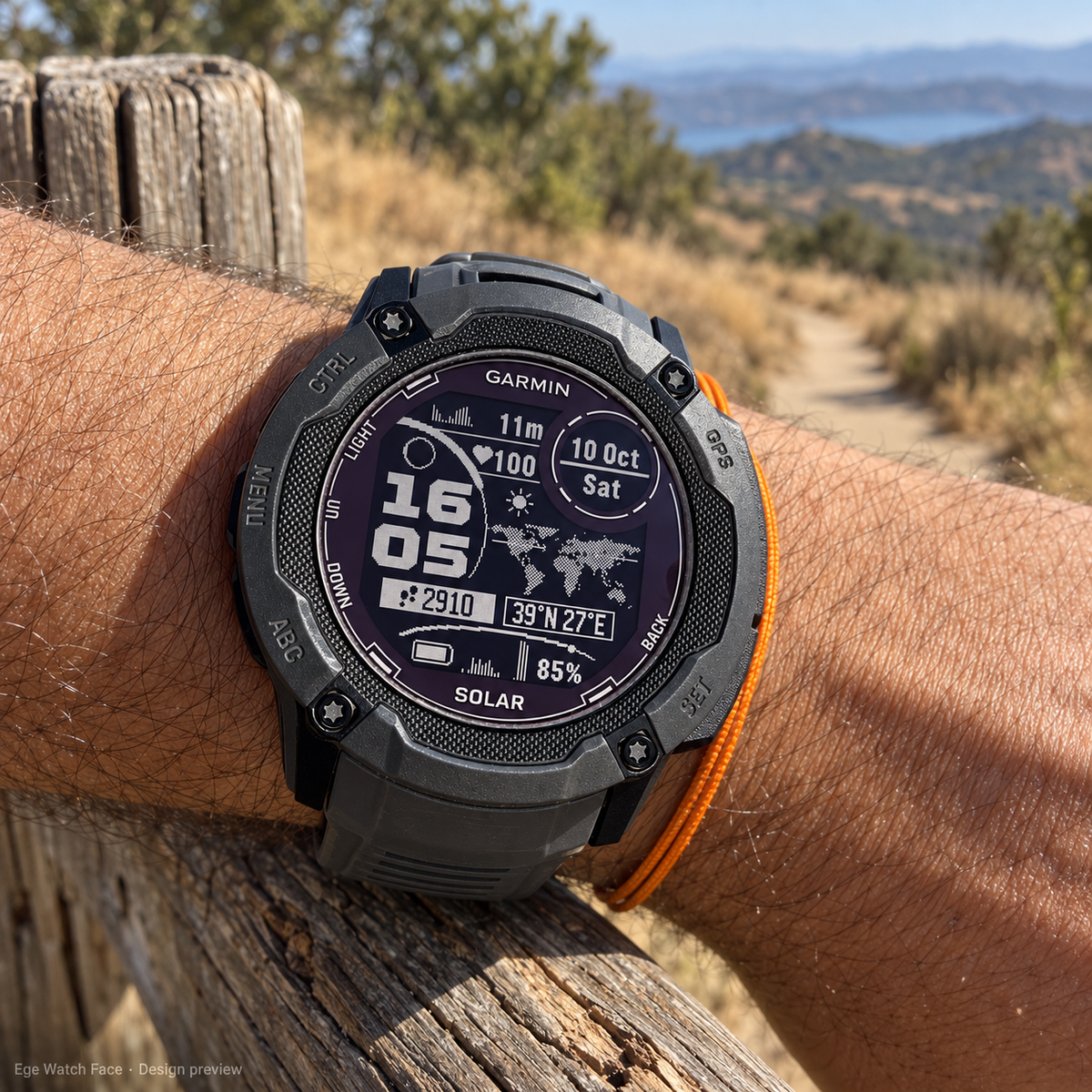
Promotional images with sample data. Appearance varies by watch model and screen type.
TerraMark Navigator
Your place on the world. Your data on your wrist.
Not released yet. This watch face is currently waiting for Garmin Connect IQ review, so it can't be downloaded or purchased yet.
Leave your email and you'll get one message when it goes live.
Coming soon to Garmin Connect IQ. TerraMark Navigator is a digital watch face for supported Garmin Instinct models, with an animated world map that marks your saved location, a moon phase display, matching history graphs and customizable data fields. Not released yet: it is waiting for Garmin Connect IQ review. No physical product is shipped.
An independent watch face for compatible Garmin watches. Not made or endorsed by Garmin.
Arrows that meet you
Your current saved location, marked on the world.
Four thin lines with small arrowheads travel in from each direction and meet at your location, forming a ring. In active view the loop repeats every 3 seconds, and you can turn it off in settings. Latitude and longitude sit in their own frame under the map, in degrees.
This is not a navigation app: no directions, routes or continuous GPS tracking. Location refreshes about every 12 hours from available GPS/weather location data.
Everything has a job
Value + matching graph
The top value and its 6-hour graph always show the same data: altitude, temperature, pressure, distance, feels-like, humidity, wind, heart rate, stress or Body Battery.
Real moon phase
Lit and dark parts of the moon are shown — not a decorative icon. A separate area shows the weather condition.
Smart date circle
Date and weekday, date and ISO week number, or a second time zone (fixed UTC offset).
Health row
Heart rate by default. On supported devices: stress, Body Battery, last SpO₂ reading, respiration rate or recovery time.
Activity badge & goal arc
Steps (with a footprint icon), distance, calories, floors, weekly intensity minutes, stress or Body Battery — with a large arc for goal or level.
Live solar intensity
On solar models, the bottom gauge can show how much sunlight the watch gets right now. It's light intensity, not battery percentage.

Start with a preset
Pick fields one by one or start from a ready profile:
- Automatic · Solar · Battery · Wellbeing · Outdoor
- Bottom history graph: 6 h of solar intensity, stress, Body Battery, heart rate, pressure or altitude — or 24 h of battery
- Solar history keeps the highest value of each 5-minute window, so sunny periods stay visible
- Small footer: battery icon, %, estimated days left, notifications or phone connection
Each history keeps building while the watch face is running; older data from Garmin's own solar screen isn't imported.

Use the units you know
Temperature °C/°F · altitude m/ft · distance km/mi · pressure hPa/inHg · wind km/h, mph or m/s. 12 or 24-hour time, with an option to hide the leading zero.
Dates follow your watch's supported languages; the settings menu is in English.
First look


Promotional images with sample data. Appearance varies by watch model.
For supported Instinct models
First-generation Instinct and Instinct Solar are not supported. On non-solar models, solar areas can show other data. Not every sensor is on every model — unavailable values show as --. On AMOLED models, low-power mode shows time and date; the animation runs in active view.
Good to know
When will it be available?
It's waiting for Garmin Connect IQ review. Join the list above and you'll get one email when it's live.
Is it a navigation app?
No. It shows your saved location on a world map. There are no directions, routes or continuous GPS tracking. Location refreshes about every 12 hours; the arrows animate, but your position isn't measured every 3 seconds.
Does the second time zone handle daylight saving?
It uses a fixed UTC offset that you set, so adjust it when clocks change.
Will there be a trial?
Yes — 72 hours from the first launch. Premium activation is tied to your Watch ID and is handled manually by email.